AgentBar
Running several coding agents at once means constantly checking which one is blocked on you. AgentBar watches them all and tells you — without ever getting between you and your terminal.
macOS · Solo — product, architecture, implementation
- Swift
- SwiftUI
- AppKit
- Claude Code plugin hooks
- GitHub Copilot CLI hooks
The problem worth solving
Terminal coding agents are asynchronous, and people run several at once. They work for minutes at a time and then stop dead on something small — a permission prompt, a multiple-choice question, a session gone idle. The cost is not the answer; it is that you have to keep checking which window needs one.
AgentBar watches Claude Code and GitHub Copilot CLI and tells you the moment one is waiting, then brings the right terminal window forward so you can answer it there.
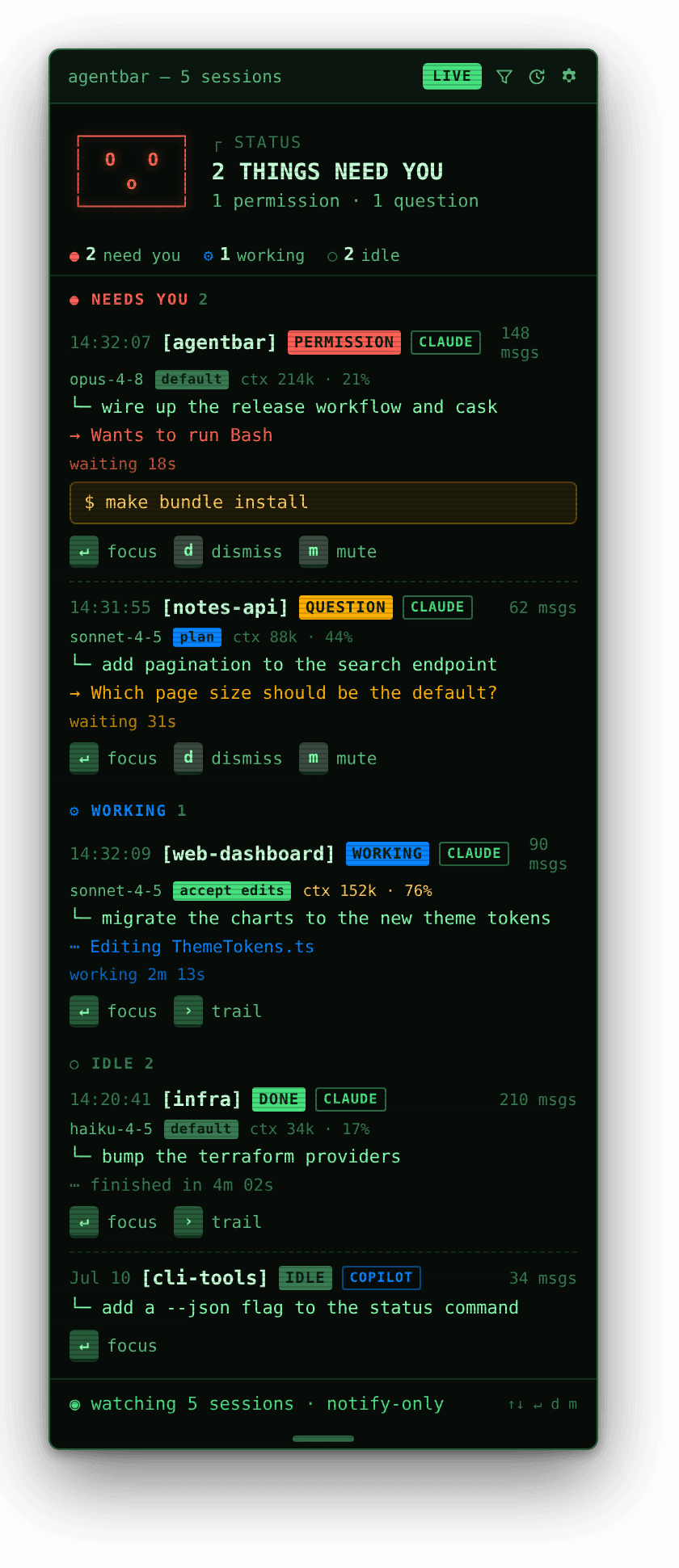
The images on this page are rendered UI previews, reproducing the palette, layout and components of the app's own views — not photos of a running build.
The constraint I designed around
The obvious version of this app answers the prompts for you. I deliberately did not build that one.
AgentBar is a notification tool, not an input tool. It never blocks your session and never sits between you and the agent. Every prompt is still answered in the terminal, where it was always going to be answered.
That constraint is what makes the app safe to install. A tool that intercepts an agent's permission prompts is a tool that can get a permission decision wrong on your behalf, and no amount of UI polish makes that trade worth it for a utility that lives in your menu bar.
Two engineering consequences follow:
Fire-and-forget. The local server acknowledges immediately, so the hook returns at once and your session never waits on my UI. An agent that stalls because your notifier is slow is worse than no notifier.
Fail-open. If the app is missing, unreachable, or errors in any way, the hook exits cleanly with no output — exactly as if AgentBar were never installed. This is the property I care most about. A developer tool that wedges the thing it observes gets uninstalled after one bad afternoon.
Integrating with someone else's lifecycle
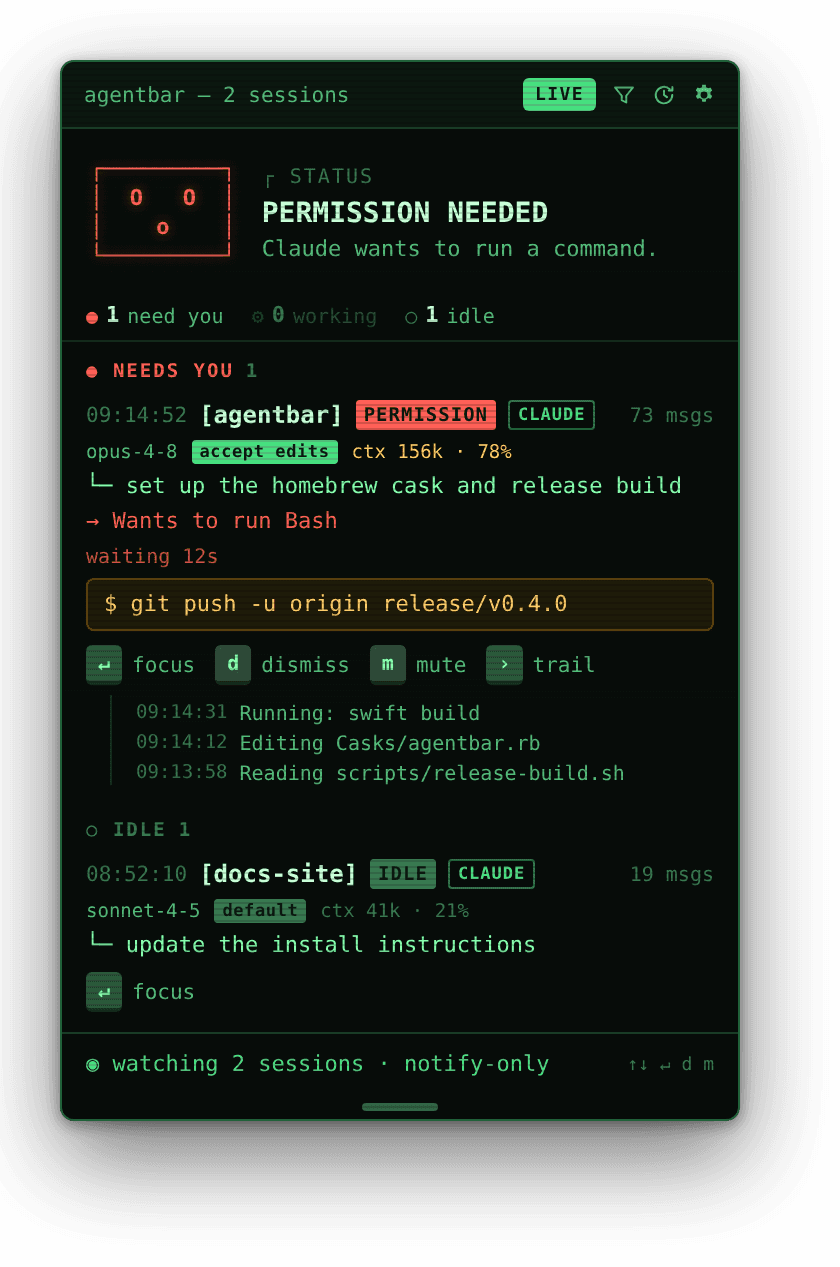
The Claude Code plugin hooks the points that matter: turn starts, questions, permission requests and denials, MCP elicitations, tool completions and failures, idle notifications, and the task-finished, subagent-finished and session-ended events.
When one fires, a bundled script POSTs the payload to a local HTTP server — 127.0.0.1, an
ephemeral port, a per-launch bearer token — launching the app first if it is not running.
The detail I am most pleased with is what happens after you answer. AgentBar watches for the session moving past the prompt and clears the item itself, whether you allowed or denied. There is nothing to dismiss. Getting that right meant modelling the agent's lifecycle properly rather than just listening for "needs attention" — a notifier that requires you to tidy up after it has simply moved the interruption, not removed it.
Distribution that respects the user's time
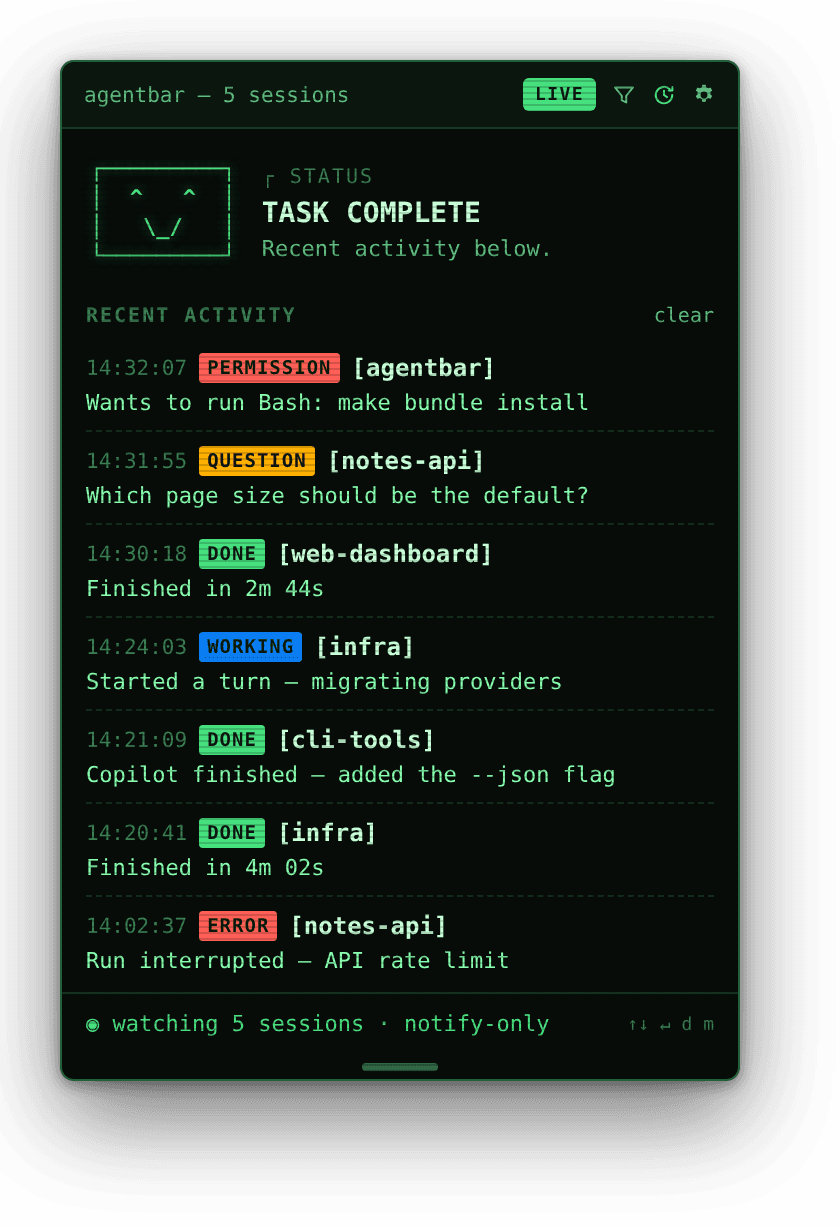
A utility nobody can install is a utility nobody has. The app ships as a Homebrew cask, and
the Claude Code half as a marketplace plugin whose hooks activate on install with no
settings.json editing at all:
brew tap jreed91/agentbar https://github.com/jreed91/agentbar
brew install --cask agentbar
/plugin marketplace add jreed91/agentbar
/plugin install agentbar@agentbar
Copilot CLI loads personal hooks from JSON in its config directory rather than from a
marketplace, so that half is a one-time make install-copilot — a different integration
path for a different tool, rather than making the user do the adapting.
What this project demonstrates
Native macOS development, and a developer tool built to the standards developer tools actually get judged by: fail-open, non-blocking, zero-config, uninstallable without residue. It also required reading two separate agent runtimes' hook systems closely enough to model their lifecycles — and the restraint to solve the narrow problem well instead of the broad one badly.